
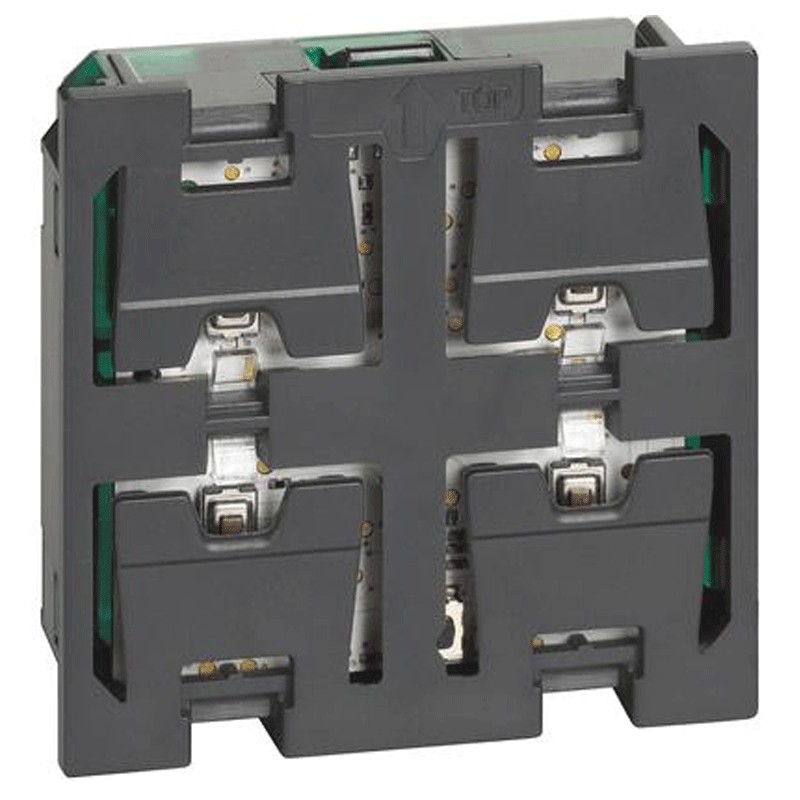

The Bticino Living Now 2-module K4652M2 ON/OFF or UP/DOWN Switch is the ideal solution for managing advanced functions and simplifying the control of lights, blinds, and other electronic devices. With a sleek design and compatible with the Living Now series, this device allows you to activate several functions from a single control point:
ON/OFF and UP/DOWN function management: For precise control of lights, shutters, and dimmable loads
Scenario and floor call control
Dimensions: 2 Modules
Scenario and staircase light control: Ability to configure controls for particular rooms and situations
Versatility: Handles floor call and lock activation
Easy installation: Easily integrates with other equipment in the Bticino Living Now series
Compatible covers KG01, KM01, KW01, KG01MH2, KM01MH2, KW01MH2
The Bticino Living Now 2-module K4652M2 ON/OFF or UP/DOWN Switch is not only limited to controlling lights and ON/OFF devices, but is also perfect for controlling shutters, a key element in home comfort. The ability to adjust the movement of the shutters with the UP/DOWN function makes it easy to adapt to different needs of the day, such as protection from sunlight or privacy, at the touch of a button.
Another interesting feature of this control is scenario management. It can be used as part of a home automation system to activate different functions in one click, such as turning on lights in stairwells or activating a lock, increasing security and convenience.
The K4652M2 is compatible with Bticino Living Now series covers, such as the KG01, KM01, KW01, and MH2 versions, allowing the design of the electrical system to be customized to fit any style of decor.
The device can be configured via MyHOME_Up app with firmware versions later than 2.1 and app versions later than 2.2 (see relevant documentation for use). Alternatively, MyHOME_Suite configuration software (with version higher than 03.03.73) or physical configurators inserted in the appropriate slots can be used.
After configuration, using the LED button, you can set the LEDs in the "always on" or "always off" state. Pressing the button for more than 2 seconds will change the state every 2 seconds, release to confirm the desired state.
| Feature | Detail |
|---|---|
| Power supply from SCS BUS | 18 to 27 Vdc |
| Power consumption at maximum Led intensity | 5 mA (stand-by), 11 mA (max) |
| Operating temperature range | 0 - 40 °C |
| Function | Detail |
|---|---|
| Light control | Yes |
| Automation control | Yes |
| Programmed scenarios activation Plus | Yes |
| Video Doorphone commands | Yes |
| Commands available only via virtual configuration | Yes |
| Feature | Detail |
|---|---|
| LED adjustment | Yes |



Data sheet
 : 20
: 20


